Download the binary for your platform from debian repository
uname -m
in my case is x64 (aka amd64, intel 64, x86-64)
wget http://ftp.us.debian.org/debian/pool/main/f/flamerobin/flamerobin_0.9.3~svn+2092-1_amd64.deb
sudo dpkg -i flamerobin_0.9.3~svn+2092-1_amd64.deb
From system menu (in my case Lubuntu Natty ) Programming -> Flamerobin
or you can start it from the console
flamerobin&

Is the best database administration tool for Firebird SQL RDBMS
Showing posts with label ubuntu. Show all posts
Showing posts with label ubuntu. Show all posts
Tuesday, April 12, 2011

Friday, November 14, 2008
flamerobin 0.9 close to be included in jaunty jackalope
Seem to be an minor bug fixed for the sync request and I hope that flamerobin will be included in ubuntu jaunty jackalope
..:: FlameRobin ::..:: Firebird ::..
..:: FlameRobin ::..:: Firebird ::..
Friday, June 20, 2008
nice changelog from bazaar imports
flamerobin is daily mirrored to bazaar repository from ubuntu
here is the nice changelog for the head
and to get it from bzr write just this
bzr branch lp:flamerobin
cd flamerobin
./configure
make ; make install
..:: FlameRobin ::..:: Firebird ::..
here is the nice changelog for the head
and to get it from bzr write just this
bzr branch lp:flamerobin
cd flamerobin
./configure
make ; make install
..:: FlameRobin ::..:: Firebird ::..
Thursday, November 01, 2007
Accepted flamerobin 0.8.1 in debian
it was accepted into unstable version
http://packages.qa.debian.org/f/flamerobin.html
..:: FlameRobin ::..:: Firebird ::...:: debian ::...:: ubuntu ::..
http://packages.qa.debian.org/f/flamerobin.html
..:: FlameRobin ::..:: Firebird ::...:: debian ::...:: ubuntu ::..
Tuesday, October 16, 2007
Download FlameRobin 0.8.0 - FlameRobin is a database administration tool for Firebird DBMS. - Softpedia
Also the softpedia page seems to be updated with some screenshots (don't know what version it is...)Download FlameRobin 0.8.0 - FlameRobin is a database administration tool for Firebird DBMS. - Softpedia
Blogged with Flock
Flamerobin 0.8.0 download - Flamerobin (aded to icewalkers.com)
Release Notes : The ability to edit, add, and remove existing rows of the DataGrid directly was added. This works even for joins and complex queries. A basic Test Data Generator was added, as was the ability to create a selectable stored procedure for a table.Flamerobin 0.8.0 download - Flamerobin
Blogged with Flock
Tuesday, September 04, 2007
creating an flamerobin/firebird livecd with ubuntu feisty fawn

You can download the final live cd from this page
i used this guide
https://help.ubuntu.com/community/LiveCDCustomization
download ubuntu-7.04-desktop-i386.iso from http://www.ubuntu.com/getubuntu/download
in my case my nearest mirror
wget http://ftp.iasi.roedu.net/mirrors/ubuntulinux.org/releases/feisty/ubuntu-7.04-desktop-i386.iso
sudo apt-get install squashfs-tools mkisofs qemu
sudo modprobe squashfs
cp ~/ubuntu-7.04-desktop-i386.iso ~/live/
cd ~/live
mkdir mnt
sudo mount -o loop ubuntu-7.04-desktop-i386.iso mnt
mkdir extract-cd
rsync --exclude=/casper/filesystem.squashfs -a mnt/ extract-cd
mkdir squashfs
sudo mount -t squashfs -o loop mnt/casper/filesystem.squashfs squashfs
mkdir edit
sudo cp -a squashfs/* edit/
sudo cp /etc/resolv.conf edit/etc/
sudo cp /etc/hosts edit/etc/
sudo chroot edit
mount -t proc none /proc
mount -t sysfs none /sys
export HOME=/root
export LC_ALL=C
in the Customization part (after you do sudo chroot edit)
I decomented the two lines in /etc/apt/sources.list  sudo vi /etc/apt/sources.list
deb http://archive.ubuntu.com/ubuntu feisty universe
deb-src http://archive.ubuntu.com/ubuntu feisty universe
apt-get update
apt-get install flamerobin
apt-get install firebird2-super-server

Please enter new password for SYSDBA user:masterkey
apt-get clean
rm -rf /tmp/*
rm /etc/resolv.conf
umount /proc
umount /sys
exit
chmod +w extract-cd/casper/filesystem.manifest
sudo chroot edit dpkg-query -W --showformat='${Package} ${Version}\n' > extract-cd/casper/filesystem.manifest
sudo cp extract-cd/casper/filesystem.manifest extract-cd/casper/filesystem.manifest-desktop
sudo sed -ie '/ubiquity/d' extract-cd/casper/filesystem.manifest-desktop

sudo rm extract-cd/casper/filesystem.squashfs
sudo mksquashfs edit extract-cd/casper/filesystem.squashfs
sudo -s
rm extract-cd/md5sum.txt
cd extract-cd && find . -type f -print0 | xargs -0 md5sum > md5sum.txt
exit
sudo mkisofs -r -V "$IMAGE_NAME" -cache-inodes -J -l -b isolinux/isolinux.bin -c isolinux/boot.cat -no-emul-boot -boot-load-size 4 -boot-info-table -o ../ubuntu-7.04-desktop-i386-flamerobin.iso .
qemu -cdrom ubuntu-7.04-desktop-i386-flamerobin.iso -boot d

or write the iso ubuntu-7.04-desktop-i386-flamerobin.iso on the dvd with k3b or nautilus
after the system boots you can create an database with
the username:sysdba
password:masterkey
and the path
/tmp/flamrobin.fdb
technorati tags:livecd, ubuntu, feisty, fawn, flamerobin.org, flamerobin, firebirdsql, firebird
Blogged with Flock
Tuesday, May 16, 2006
creating an flamerobin/firebird live cd [DONE]
follow the guide
https://help.ubuntu.com/community/LiveCDCustomization
in the Customization part (after you do sudo chroot edit)
I decomented the two lines in /etc/apt/sources.list
deb http://archive.ubuntu.com/ubuntu dapper universe
deb-src http://archive.ubuntu.com/ubuntu dapper universe
in the /etc/resolv.conf i have added one nameserver we had on our lan (you need to delete it after you finish customizing the distro)
nameserver 127.0.0.1
before installing firebird is a good idea to stop the firebird on your system
then after you chroot do the following
apt-get install firebird2-super-server firebird2-utils-super ibwebadmin firebird2-examples
install the flamerobin from debian
sudo apt-get install libwxgtk2.6-0
wget http://puzzle.dl.sourceforge.net/sourceforge/flamerobin/flamerobin_0.7.2-1_i386.deb
dpkg -i flamerobin_0.7.2-1_i386.deb
At the end when creating the iso , i named it firebird live cd
sudo mkisofs -r -V "$IMAGE_NAME" -cache-inodes -J -l -b isolinux/isolinux.bin -c isolinux/boot.cat -no-emul-boot -boot-load-size 4 -boot-info-table -o ../firebird-dapper-live-i386.iso .
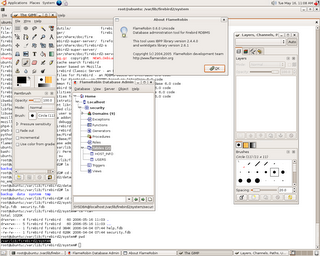
And here is the screen shot
..:: FlameRobin ::..:: Firebird ::...:: Ubuntu ::...:: Debian ::..:: LiveCD ::..
https://help.ubuntu.com/community/LiveCDCustomization
in the Customization part (after you do sudo chroot edit)
I decomented the two lines in /etc/apt/sources.list
deb http://archive.ubuntu.com/ubuntu dapper universe
deb-src http://archive.ubuntu.com/ubuntu dapper universe
in the /etc/resolv.conf i have added one nameserver we had on our lan (you need to delete it after you finish customizing the distro)
nameserver 127.0.0.1
before installing firebird is a good idea to stop the firebird on your system
then after you chroot do the following
apt-get install firebird2-super-server firebird2-utils-super ibwebadmin firebird2-examples
install the flamerobin from debian
sudo apt-get install libwxgtk2.6-0
wget http://puzzle.dl.sourceforge.net/sourceforge/flamerobin/flamerobin_0.7.2-1_i386.deb
dpkg -i flamerobin_0.7.2-1_i386.deb
At the end when creating the iso , i named it firebird live cd
sudo mkisofs -r -V "$IMAGE_NAME" -cache-inodes -J -l -b isolinux/isolinux.bin -c isolinux/boot.cat -no-emul-boot -boot-load-size 4 -boot-info-table -o ../firebird-dapper-live-i386.iso .
And here is the screen shot

..:: FlameRobin ::..:: Firebird ::...:: Ubuntu ::...:: Debian ::..:: LiveCD ::..
Subscribe to:
Posts (Atom)